Chess Vision
Scan a chessboard from your screen, then play and analyse it properly.
A Windows chess companion that reads a position straight off your screen, rebuilds it exactly, and hands you a real board — to play on, or to analyse with a local engine.
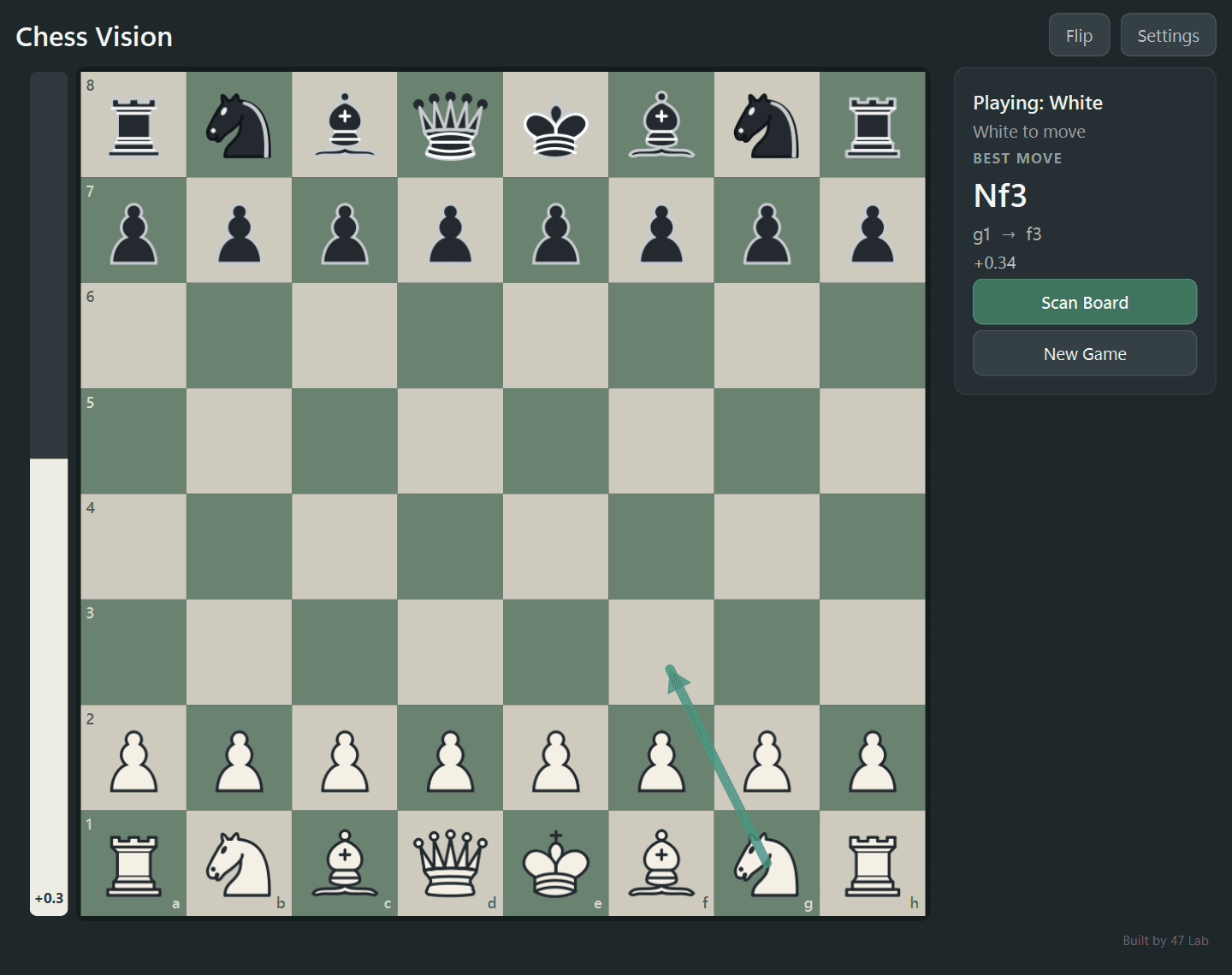
01What it is
A chess app that starts from your screen.
Chess Vision is not a website with a board bolted on. It is a Windows application that begins with what you are already looking at, and ends with a position you can genuinely play with.
You spot a position you want to understand — in a stream, a video, an article diagram, a puzzle you half-remember. Getting it onto a real board normally means typing in 64 squares by hand, which is slow and easy to get wrong.
Chess Vision replaces that with a screenshot. Select the board once, and the app reconstructs the position, checks that the result is a complete and legal chess position, and gives you an interactive board. From there you can move both sides freely and let a local engine tell you what it thinks.
It is also a full chess app in its own right. Three modes — analysis, local two-player, and play against a built-in opponent — with clocks, captured pieces, evaluation, best-move suggestions and move history.
- Screen-to-board scanning
- Local engine analysis
- Three game modes
- Privacy-first by design
- One-time captureSelect the 64 squares
- Vision recognitionAll 64 squares returned
- Board validationComplete and legal, or rejected
- python-chess stateThe only source of truth
- Local StockfishRuns on your machine
Only the crop you select ever leaves the machine. There is no continuous screen tracking.
02See the board. Understand the game.
Scan once. Get a legal position back.
Importing a position is the part that normally goes wrong, so it is the part with the most care in it. Recognition is a one-time event, not a running process watching your screen.
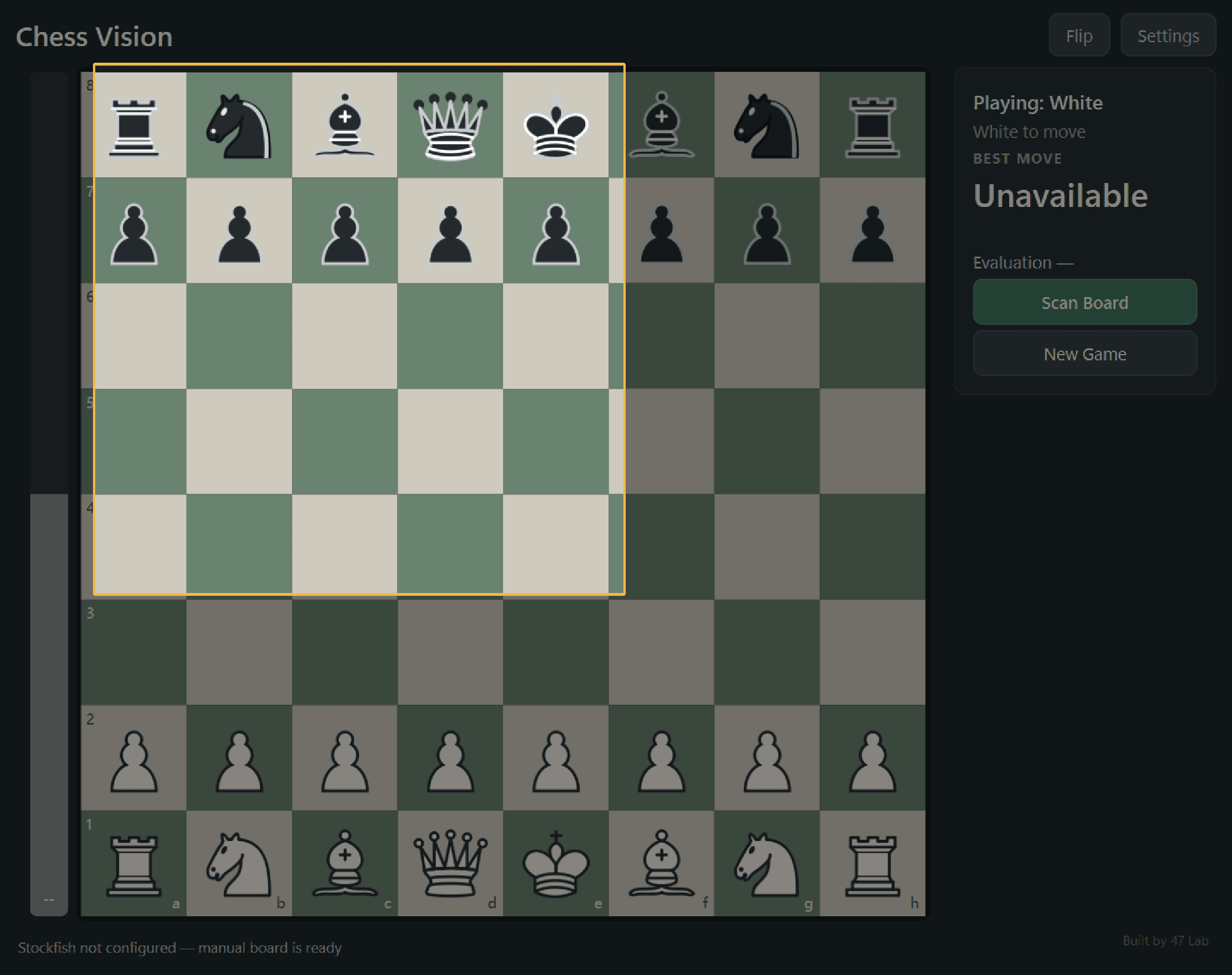
Select the board
Press Scan Board, then drag a selection tightly around all 64 squares. Nothing outside that rectangle is used.
It gets transcribed
The selected image comes back as all 64 squares, each one named. A position with a missing or impossible square is rejected rather than quietly guessed at.
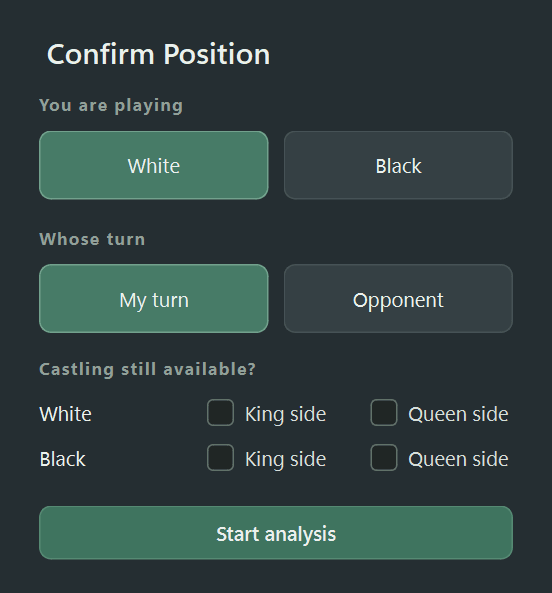
Confirm the details
You say which side you are, whose turn it is, and which castling rights still exist. A still image cannot prove move history, so nothing is assumed.
You have a real board
From here it is ordinary chess — legal moves, promotions, castling, en passant, undo and analysis.
03Play
Three modes, one board.
Analysis is where scanning lives, but Chess Vision is also a full game app. Same board, same engine, different purpose.
Analysis
No clocks and no names. Move both sides freely, scan a new position whenever you like, and keep the engine's opinion switched on or off.
Player vs Player
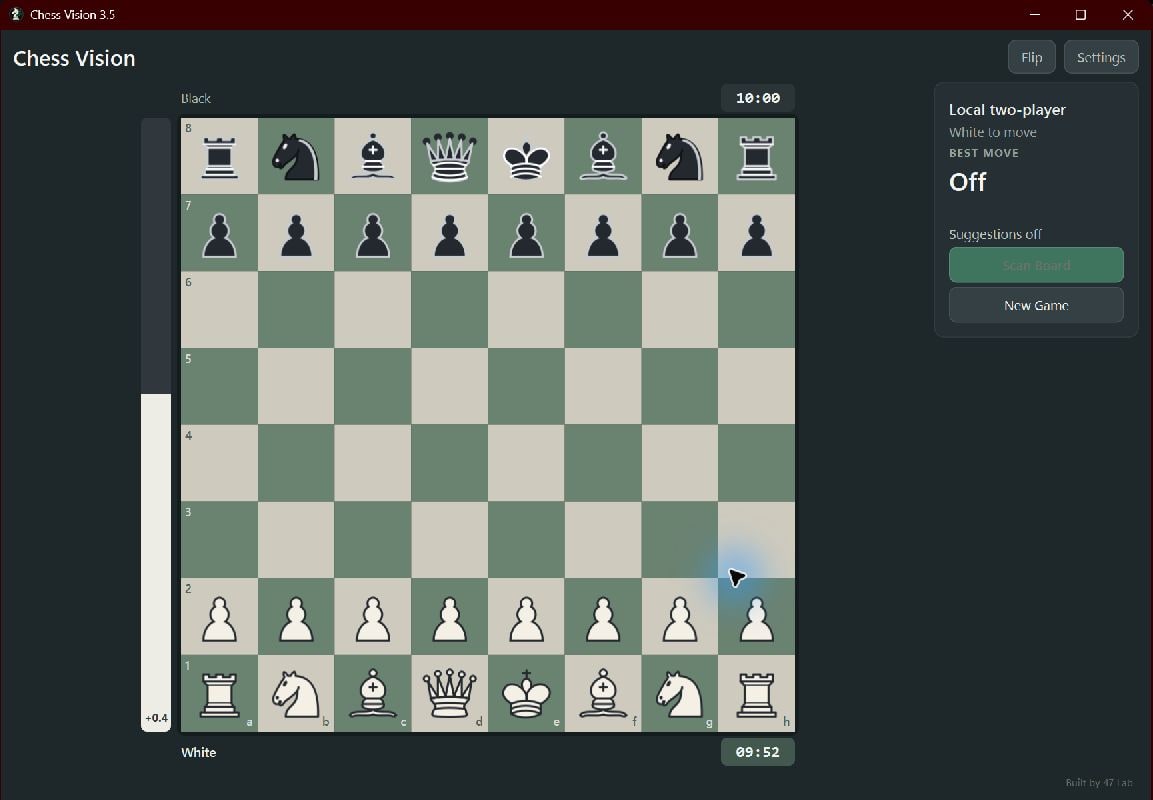
Local two-player with a name for each side and a clock that only runs for whoever is to move.
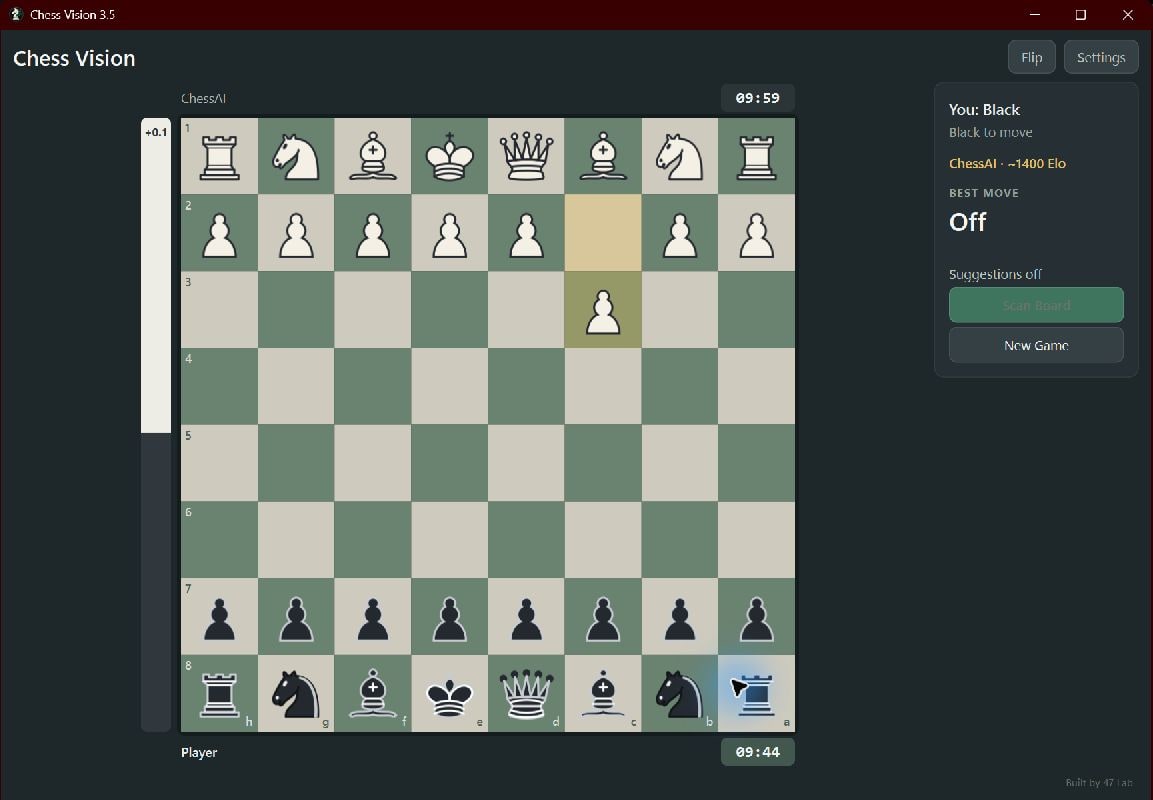
Player vs Computer
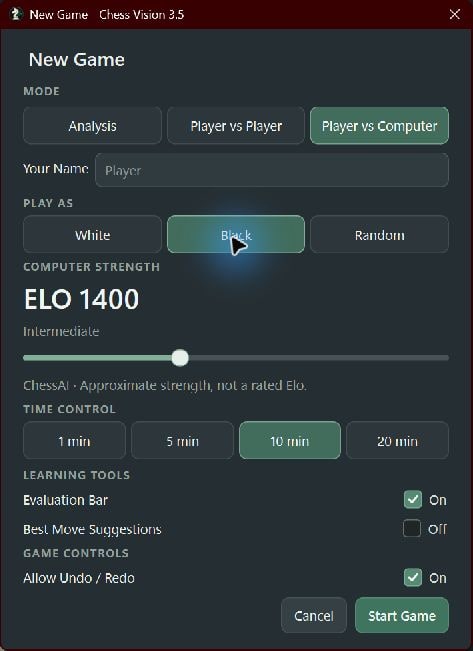
You against ChessAI. Choose White, Black or Random, then an approximate strength target anywhere from about 600 to 2800.
- Time controls of 1, 5, 10 or 20 minutes per side, no increment
- Timeout adjudicated properly — a flag fall loses unless the opponent cannot mate
- Captured pieces shown as SVG icons on each player's bar, following the board's orientation
- Undo and redo step through real recorded history, not a picture of a board
04Analyse
A real engine, running on your machine.
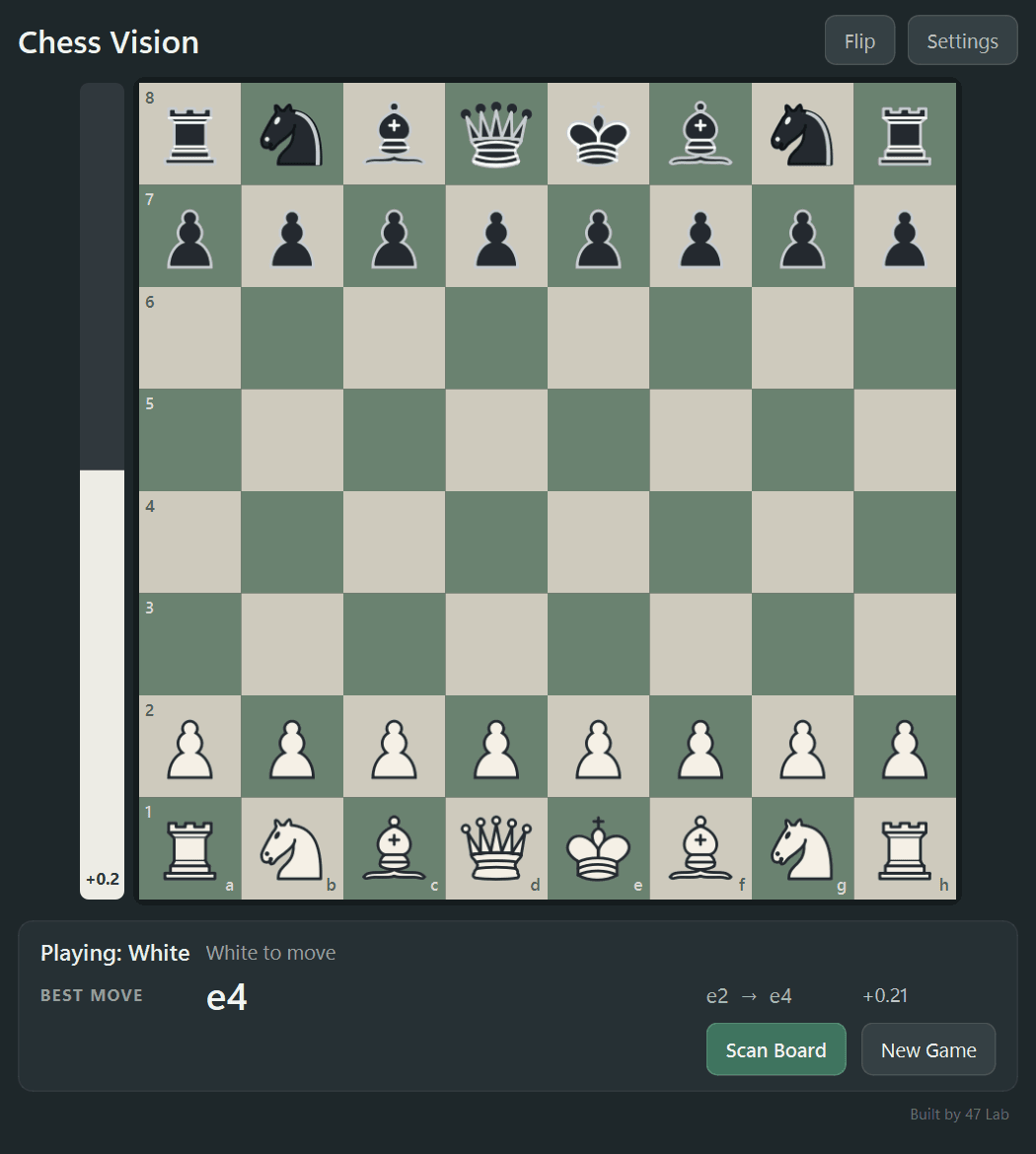
Analysis is handled by Stockfish — the same open-source engine used everywhere else — running locally, so nothing about your game leaves the computer to be evaluated.
- Best-move arrow drawn straight onto the board
- Animated evaluation bar, always from White's perspective, with mate scores such as M3 or -M2
- Suggestions stay at full strength regardless of the opponent's difficulty
- Left and right arrows walk the game; position, turn, castling and en-passant state are restored
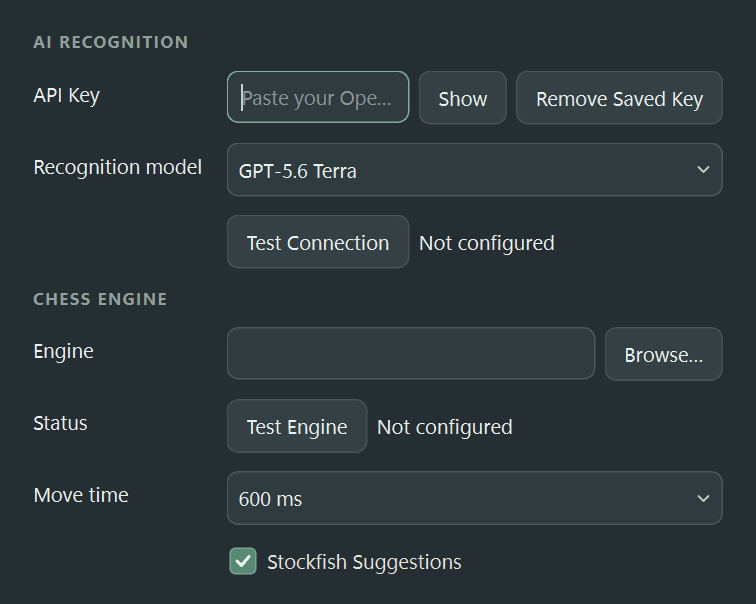
You supply the engine and your own API key: Chess Vision ships with no bundled Stockfish binary and no shared credentials. Both live under your control, and the key is kept in the Windows Credential Manager.
05Built as a desktop application
It runs where the board already is.
This is a desktop program, and that is a design decision rather than a limitation. Reading a board off your screen is a desktop job, and so is running an engine without somebody else's server in the middle.
- Wide and split-screen layouts, so it can sit beside whatever you are watching
- DPI-aware capture that copes with scaled displays
- Ships as a portable folder: run the executable, keep the adjacent files with it
- No Python installation, no command prompt, no browser
06Under the hood
Deliberately boring choices.
None of this is exotic, and that is the point. Every piece here is something we can explain, maintain and replace.
The board is not a picture. Once recognition is done, the position becomes an ordinary python-chess board, which means the rules, legal moves and history are handled by a library that has been tested far harder than anything we would write ourselves.
Recognition is deliberately narrow: it runs when you ask it to, it returns structured data rather than prose, and it has to produce a valid board before anything else is allowed to happen.
- Python 3.11–3.14
- PySide6 / Qt for Python
- python-chess
- Stockfish (supplied by the user)
- OpenAI vision models
- OpenCV + MSS
- Windows Credential Manager
- PyInstaller packaging
Shipped as a Windows desktop build. There is no web or mobile version.
OpenAI provides the one-time board recognition; Stockfish runs locally on your machine. Neither is bundled — you supply your own API key and engine, and Chess Vision ships with no shared credentials.
A still screenshot cannot prove move history, so midgame imports start without en-passant state and only with the castling rights you confirm.
The current Windows build is unsigned, so Windows SmartScreen may warn on first launch.
07Where it’s heading
Built, then built on.
The project keeps a public record of where it has been and what it is exploring next. These are research directions, not features you can use today — the current release does none of them.
Suggest something- Automatic live tracking instead of a one-time scan.
- Stronger recognition across more board themes, scaling and overlays.
- Hybrid local and AI verification with confidence-aware recovery.
Take it for a game
Chess Vision is free, open source, and finished enough to use.
Download the Windows build and play it, or read the source and argue with the decisions. There is no account, no trial and no tier to upgrade into.