Cursor Tag
A game of tag on your real desktop. The kitties chase your cursor; your windows are their walls.
Press Ctrl+Alt+T anywhere and pastel kitties come for your mouse cursor. You pass straight through your windows, they have to go around them — so the desktop you already have becomes the level.
NextHow it plays
What it is
Cursor Tag, in detail.
A game of tag on your real desktop. The kitties chase your cursor; your windows are their walls.
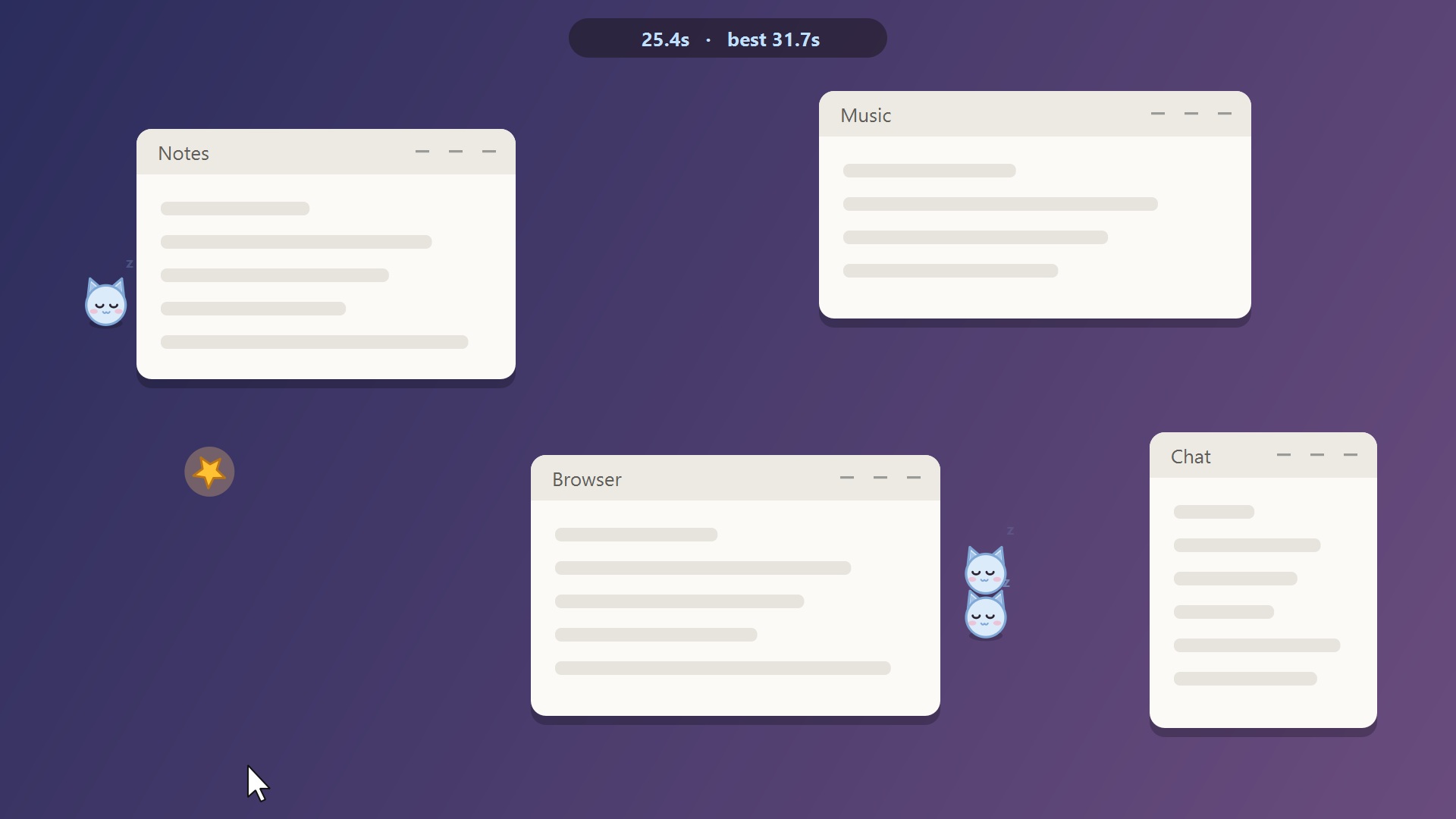
Most desktop games open a window and ask you to play inside it. Cursor Tag plays on the desktop itself: the overlay is click-through, your mouse keeps working, and the open windows on your screen are the map.
One kitty at first, another every twelve seconds, all of them a little faster each time. They path around your windows on a grid, take the straight line when they can see you, and lunge when they get close. Your cursor ignores the walls, so the trick is slipping through a window and making them take the long way round.
Between rounds it is a kitty in the tray and nothing else: hidden, no timers running, no CPU.
What it does
Your windows are the level
The game reads the windows actually open on your screen. Kitties can't pass through them and route around instead; drag one mid-round and you have moved a wall.
You go through, they go round
Your cursor ignores every window. Cut through a browser and the kitty behind you has to find the way around it — that is most of the strategy.
It gets harder on its own
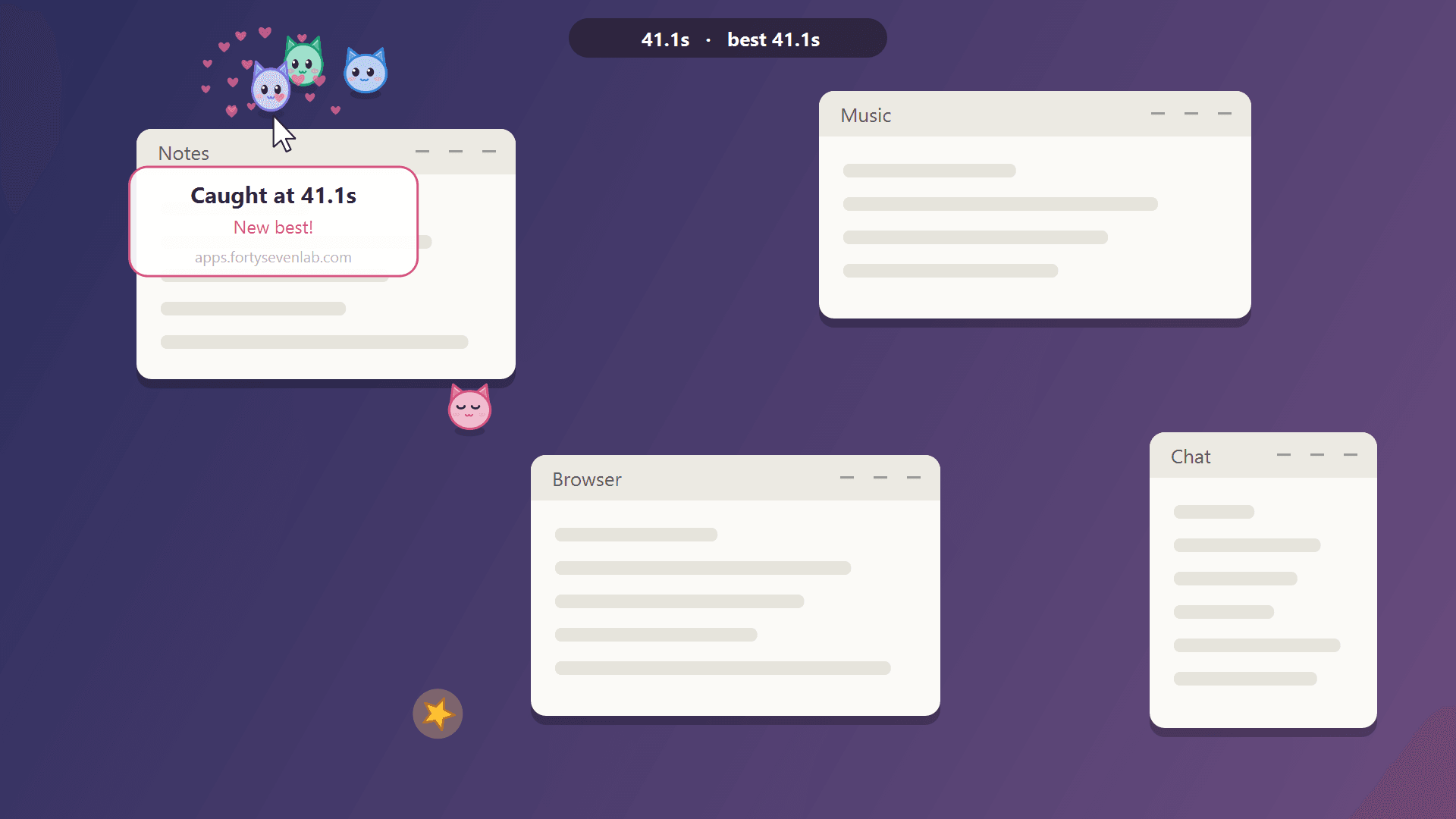
A new kitty joins every 12 seconds, and every kitty speeds up a little over the round. Close enough and they lunge.
Stars buy you breathing room
A spinning star appears every few seconds. Touch it and every kitty dozes off for two seconds.
One hotkey, no window
Ctrl+Alt+T starts a round from anywhere, Esc ends it. Your best time is saved and shown on the card when they catch you.
Costs nothing while idle
Between rounds the overlay is hidden and no timers run. It sits in the tray until you call it.
Built with
- Python 3
- PySide6 (Qt) — drawing, overlay and tray
- Win32 via ctypes
- Grid flow-field pathfinding
- Plays on your real desktop
- Windows are walls — for them
- Stars freeze every kitty
- Hidden between rounds
Worth knowing
- Windows 10 and 11, primary monitor only.
- The download is a single unsigned executable, so Windows SmartScreen may warn on first launch — More info, then Run anyway.
- Maximised windows don't count as walls, and neither does the window your cursor is inside — otherwise you could hide in one.
- No network calls, no account, no telemetry. The only file it writes is your best time.
- Free and open source under the Forty Seven Lab Attribution License: reuse and change it, but keep the credit.
Where it goes next
- Multi-monitor rounds.
- Mochi as a guest chaser.
- Sounds, and a daily challenge seed.
The captures on this page are drawn by the game's own code over an illustrated desktop, so nobody's real windows are on show.
Start a round
Cursor Tag is free, and it fits in one download.
Download CursorTag.exe and double-click it. A kitty appears in the tray — press Ctrl+Alt+T and run.